GUIDES / PRIVACYA private browser for Mac.
Know what stays on your Mac.
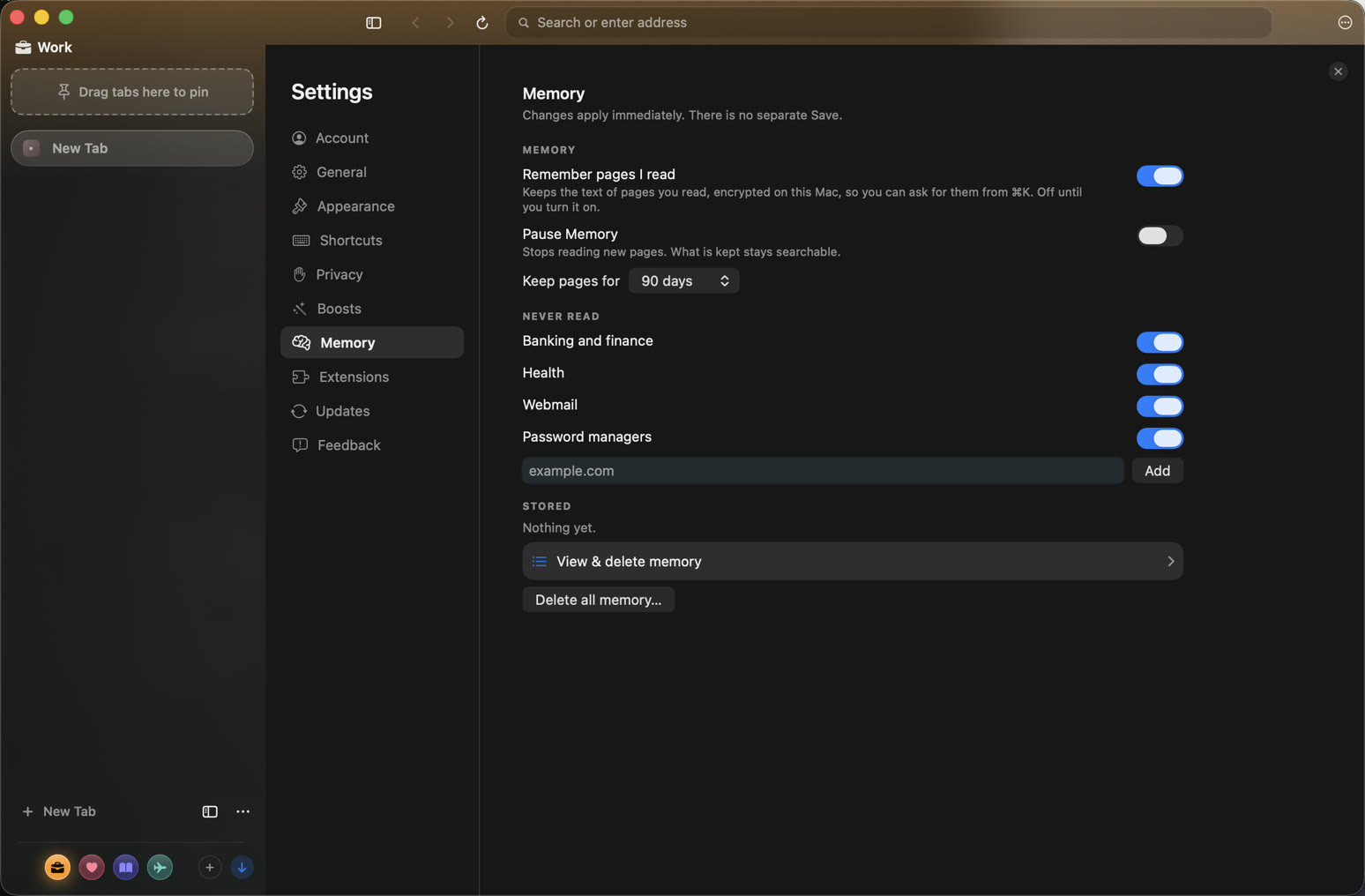
Thravik blocks ads and trackers by default and gives you controls for each website. Its optional Memory feature keeps page text encrypted on your Mac so you can find something you read before. Choose it if you want a native WebKit browser with separate Spaces for different accounts and privacy controls you can inspect.
Download Thravik for MacON THIS MACWhat does not
leave with the page.
- Ad and tracker blocking, on by default, switchable per site.
- Cookie banners rejected where possible. Forget a site clears its local data.
- Passwords and authenticator seeds live in the macOS Keychain. Autofill never submits.
- Memory text uses AES-256-GCM. The key is device-only and is not synced.
- Private and temporary tabs are never read. Banking, health, webmail and password-manager sites are skipped.
- Optional account sync is end-to-end encrypted and off until you sign in.
OTHER PRIVATE BROWSERSBrave, Firefox,
Safari, Orion.
Brave is the usual Chromium pick for built-in shields. Firefox is the independent-engine pick. Safari is the Apple-ecosystem pick. Orion is another WebKit browser. Thravik is the Mac-native WebKit pick with on-device Memory.
Thravik vs Brave
Thravik vs Firefox
Thravik vs Orion
Private browsing, tracking protection and Memory.
These controls solve different problems. Choose them based on who you want to keep data from.
What each privacy control covers| Control | What it does | Boundary |
|---|
| Ad and tracker blocking | Blocks matching requests with built-in rules. Controls are available per website. | Blocking cannot guarantee that every tracker is detected. Websites you visit still receive your requests. |
|---|
| Private and temporary tabs | Excluded from Memory capture. | Private browsing does not make your connection anonymous or hide your IP address from the destination website. |
|---|
| Encrypted Memory | Off until enabled. Captured page text is encrypted with AES-256-GCM and a device-only key. | Memory deliberately retains text from eligible pages you read. Review or delete it in Settings; it is separate from private browsing. |
|---|
| Spaces | Each Space has separate cookies and logins, so work and personal accounts can stay separate. | Account separation is not an anonymity service. |
|---|
| Optional sync | Vault and workspace sync use end-to-end encryption when you sign in. | Memory text and its device-only key are not synced. |
|---|
What “private” covers here.
What is a private browser for Mac?
A private Mac browser limits tracking, keeps secrets in a protected store, and makes it clear what leaves the machine. Thravik blocks trackers by default, stores passwords and authenticator seeds in the macOS Keychain, and keeps Memory encrypted on the device. It is not a VPN and it does not claim to be the most private browser.
Does Thravik send browsing history to a server?
History stays on your Mac, and query strings are stripped before a URL is written. Optional sync is off until you sign in, and the vault and workspace sync are end-to-end encrypted. Memory text is encrypted with a device-only key and is not synced.
Your Mac deserves
a little breathing room.
Download Thravik for MacmacOS 26 or later · Release details and installation on GitHub